
Avoid V2L Conditions Not Met: 7 Steps
Table of contents
- What does the error 'V2L conditions not met' mean?
- Step 1: Check your charging adapter and plug connection
- Step 2: Check your battery level and discharge limits
- Step 3: Check V2L compatibility with your electric car
- Step 4: Check power load and fuses
- Choosing a safe V2L adapter for electric cars
- Interpreting V2L error codes on your electric car
- Conclusion
Last updated: August 18, 2026
What does the error 'V2L conditions not met' mean?
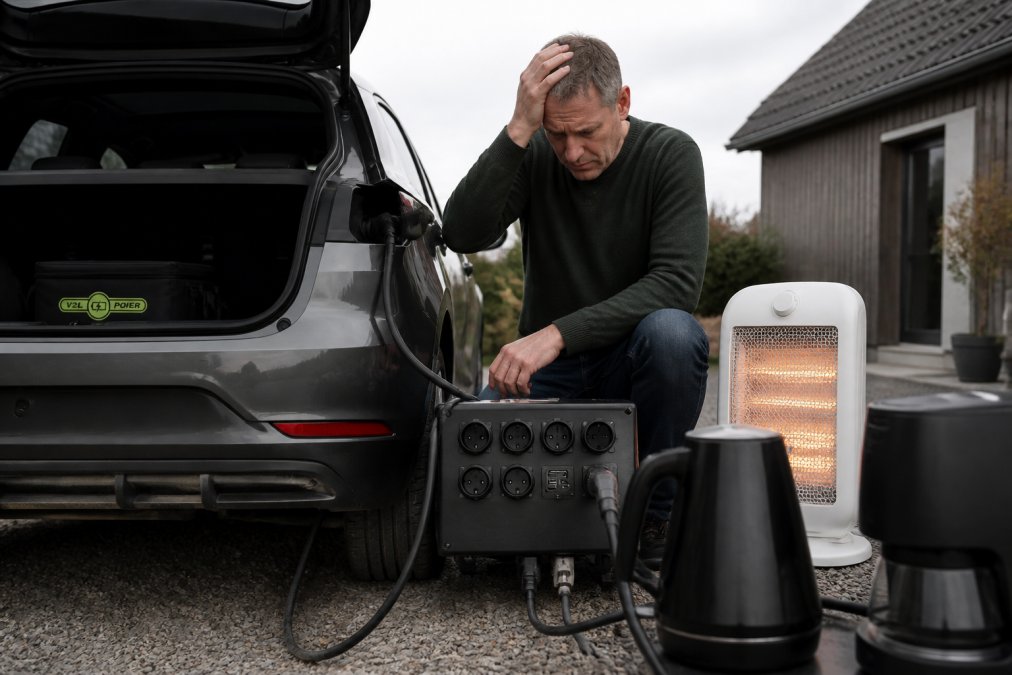
V2L conditions not met is an error message that means your electric car cannot supply power to external devices through the Vehicle-to-Load system. The error occurs when one or more conditions for safe power delivery are not met. 🔌
When you try to use your electric car as a power source – whether for camping, emergency power, or outdoor tools – the system requires several factors to be in place. Your car must be in the right condition, the battery must have sufficient capacity, the cable must be connected correctly, and the electronics must approve the connection. If even one of these elements fails, your car will display the error message V2L conditions not met.
This is actually a good sign – it means the safety mechanisms are working. Rather than risking damage to your battery, electronic systems or equipment, the car is blocking the connection. But it also means you need to understand what’s going wrong before you can get power from your car again.
Most V2L errors can be resolved by following a systematic troubleshooting process. Always start with the most obvious: the cable and connector. Then move on to battery health, compatibility, and finally hardware issues.
Step 1: Check your charging adapter and plug connection
The fault almost always starts here. A loose, damaged or poorly connected cable is the cause of about half of all V2L conditions not met-error. ⚡
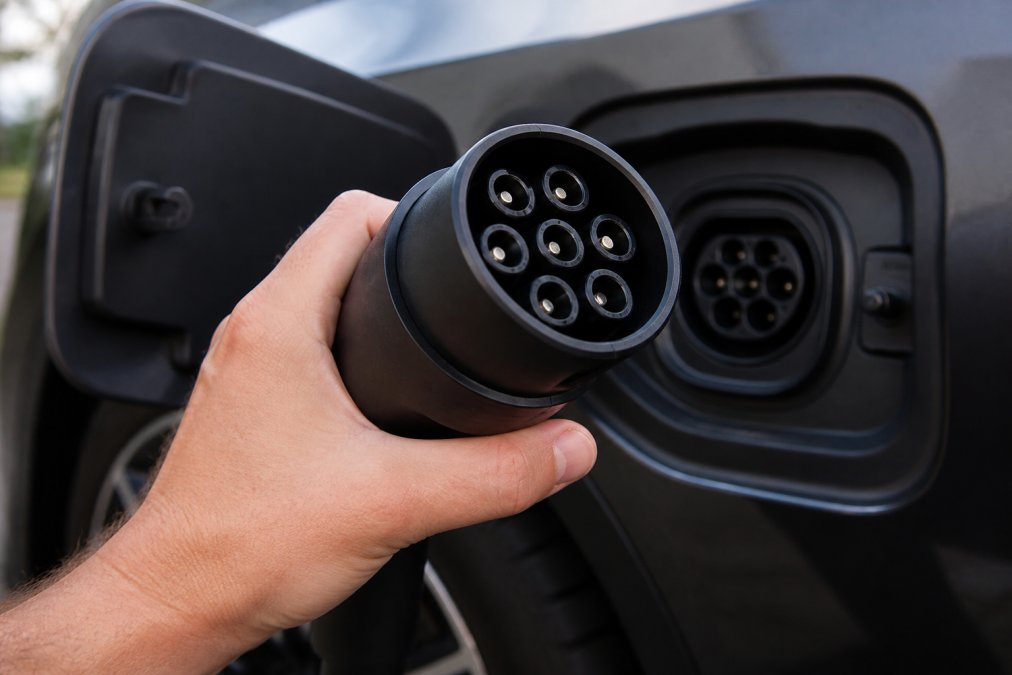
First, visually inspect the cable. Take the Type 2 connector—the larger connector on the charging adapter—and look for signs of damage: cracks in the plastic, long marks or discoloration around the contacts, or small metal particles. If you see anything unusual, replace the cable. Corrosion is especially common if you’ve parked your car in a damp environment or used the V2L system in the rain.
Next, make sure the plug is fully inserted into the car's Type 2 port. Many people think the plug is fully inserted when it is actually only halfway in. Push it all the way in until you hear or feel a click. Some car models require you to hold the plug in place for a few seconds before the system registers it.
Also, make sure the metal contacts of the plug are clean. If there is dirt, dust, or green oxide on the contacts, it can prevent the transfer of current. Use a soft, dry cloth to clean the contacts. If the oxidation is thick, you can use a very slightly damp cloth, but avoid getting water into the plug.
Some charging adapters also have a small green LED indicator that shows the power status. If the indicator is not lit when the cable is plugged in, it means that the connection is not established. Try removing the plug completely, waiting 10 seconds, and then plugging it back in.
If you are using a cheap or unknown V2L adapter, it may be the cause of the error. Some non-certified adapters are not compatible with your car brand's electronic system. If you have recently changed the adapter and the error started then, you should test with a different, certified adapter.
Step 2: Check your battery level and discharge limits
Your electric car's battery has limits on how much power it can deliver without being damaged. If the battery is too empty or too full, the system will block V2L. 🔋
Most electric cars only allow V2L when the battery is between about 20 % and 80 % capacity. If your battery is below 20 %, there simply isn't enough energy to both power the car and power external devices at the same time. If the battery is above 80 %, the system goes into a protective mode to preserve battery life.
Check your battery level on your car dashboard or through the mobile app. If it is below 20 mAh, you will need to charge your car before you can use V2L. If it is above 80 mAh, you will need to either wait for it to discharge naturally (by driving) or disable fast charging and wait.
Some car models also have a "V2L mode" or "Power mode," which you must manually activate. If you have not activated this mode, the system will give the error V2L conditions not met, even if everything else is fine. Check your car's manual for where this setting is.
The temperature of the battery also plays a role. If the car has become very hot (e.g. after a long period of driving) or very cold (after a night without heating), the system may block V2L as a safety measure. Wait until the battery reaches room temperature before trying again.
Step 3: Check V2L compatibility with your electric car
Not all electric cars support V2L. If you have an older model, or if your car was not manufactured with this feature, you will never be able to use the system – no matter what you do. 🚗
V2L compatibility varies significantly by car brand, model year, and software version. Here is a list of the major manufacturers and their V2L status:
Hyundai and Kia – These brands were among the first to offer V2L. The Ioniq 5, Ioniq 6, EV6, and EV9 support V2L as standard. Older models like the Kona Electric (pre-2023) don’t. Check your model year – if it’s 2021 or later, there’s a good chance it will support V2L.
Volkswagen – ID.4, ID.5 and ID.Buzz support V2L, but only on models from 2023 and later with the latest software version. Older ID.3 and ID.4 models do not have this feature.
BMW and Mercedes – These brands offer V2L on their latest electric car models (iX, EQE, EQS), but it often requires a special equipment package and software update.
Tesla – Tesla models do not support V2L through the Type 2 port. Tesla uses their own proprietary system, which is not compatible with standard V2L adapters.
Other brands – Manufacturers such as Renault, Peugeot, Citroën and Fiat are working on V2L integration, but it is not yet standard on their models.
How to check your car's V2L compatibility:
-
Check the car's electronic menus – Turn on the vehicle (without starting the engine). Go to "Settings" or "System Settings" on the infotainment screen. Look for "V2L," "Vehicle-to-Load," "Power Supply." If the menu is present, your vehicle supports V2L.
-
Check the Type 2 port – Open the charging door and inspect the charging port. V2L-compatible cars have a Type 2 port with multiple contact points (usually 7 pins). If the port only has 5 pins, it does not support V2L.
-
Check your original user manual. – Look for "V2L," "Vehicle-to-Load," or "Power Delivery" in the table of contents. If it’s not listed, your car probably doesn’t have the feature.
-
Check the software version – Some manufacturers have released V2L through OTA (over-the-air) updates. Go to "System Settings" > "About Car" or "Software Version" and check if there are updates available. If there is a newer version than your current one, V2L may be included in the update.
-
Contact the car manufacturer directly – Call your car manufacturer's customer service with your vehicle identification number (VIN) or registration number. They can confirm V2L support in 2-3 minutes.
Important note: V2L compatibility is not something you can "fix" with a better adapter or cable. If your car doesn't have the hardware and software to support it, you can't use V2L. This is important to know before investing in a system. If your car doesn't support V2L, you can't get the error V2L conditions not met – the system will not be available at all.
If you are unsure about your car's compatibility, V2LPower can help confirm it based on your car brand, model year, and software version.
Step 4: Check power load and fuses
If you have connected a device that uses too much power, the system will reject the connection to protect the car's electrical system. ⚠️
Most V2L systems can deliver between 3.6 kW and 11 kW, depending on the car type and adapter. That sounds like a lot, but some appliances use unexpectedly high amounts of power. For example, an electric kettle uses around 2-3 kW on its own. A handyman's electric saw can use 1.5-2 kW. If you connect multiple appliances at the same time, you can quickly exceed the limit.
Check the power consumption of the appliance you are trying to power. This is usually written on a label on the side or bottom of the appliance – look for "W" (watts) or "kW". If you have multiple appliances, add up their consumption. If the total exceeds the maximum capacity of your V2L system, the error will V2L conditions not met arise.
Some V2L systems also have a built-in fuse that protects against overload. If the fuse has tripped, it must be reset – this is usually done by unplugging the power cord, waiting 30 seconds, and plugging it back in.
Also, make sure you are using the correct type of plug for your appliance. Some appliances require a grounding connection (three-prong plug), while others use a two-prong plug. If you try to use an appliance with the wrong type of plug, the system will block the connection.
Choosing a safe V2L adapter for electric cars
When choosing a V2L adapter, there are several important factors to consider to avoid the problem V2L conditions not met right from the start. 🛡️
A certified adapter is essential. Look for the CE mark or other European certification that shows that the adapter has been tested and is safe. Non-certified adapters may be incompatible with your car brand's electronic system, often resulting in the error message.
Compatibility with your specific car model is essential. An adapter that works on a Hyundai Ioniq may not work on a Volkswagen ID.4. V2LPower offers adapters designed for specific car models, ensuring that the electronics in your car recognize and accept the system.
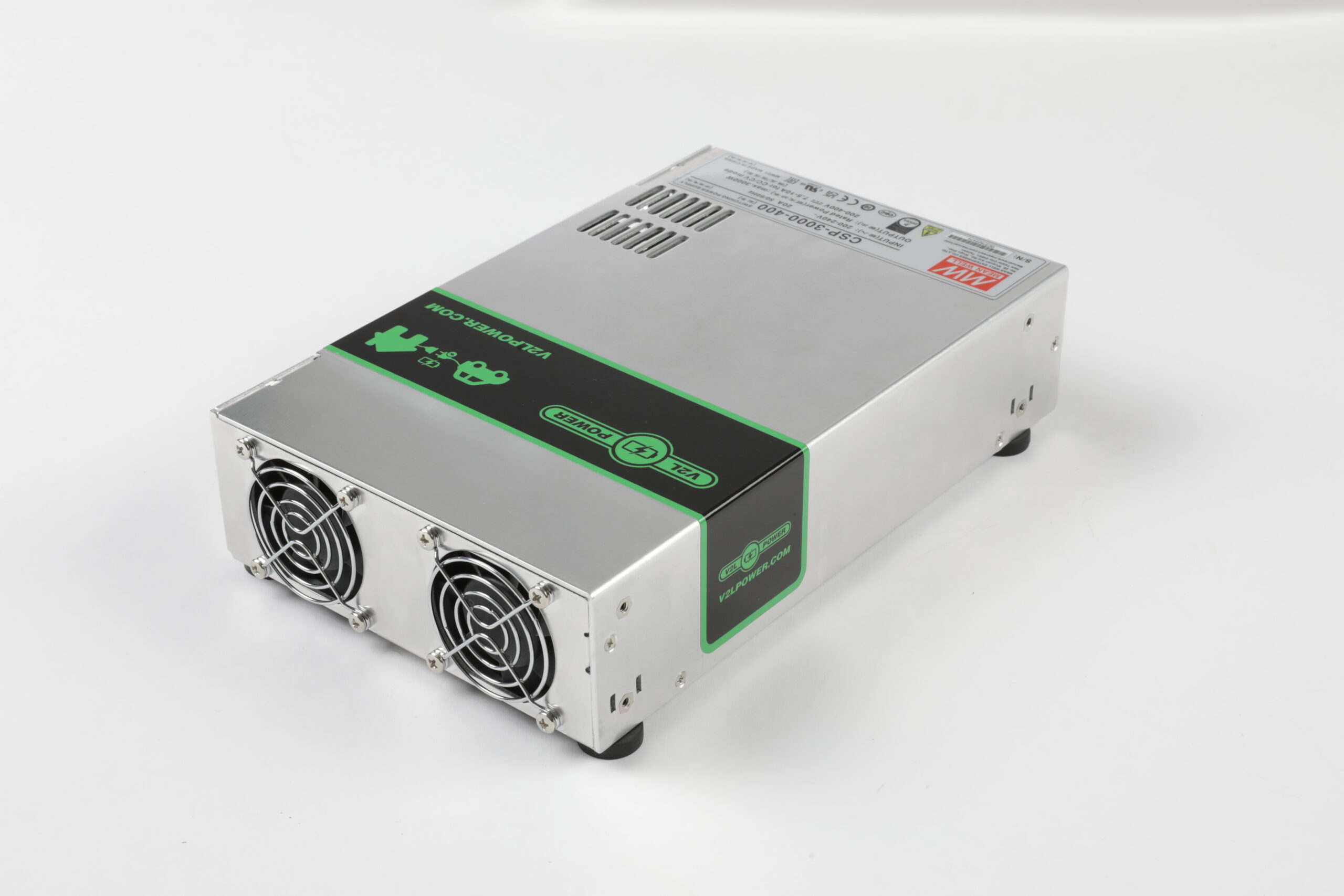
The power capacity should match your needs. If you mainly need to power small appliances (lamps, chargers, small tools), a 3.6 kW adapter is sufficient. If you need to power larger appliances or multiple things at once, you will need a 7 kW or 11 kW adapter.
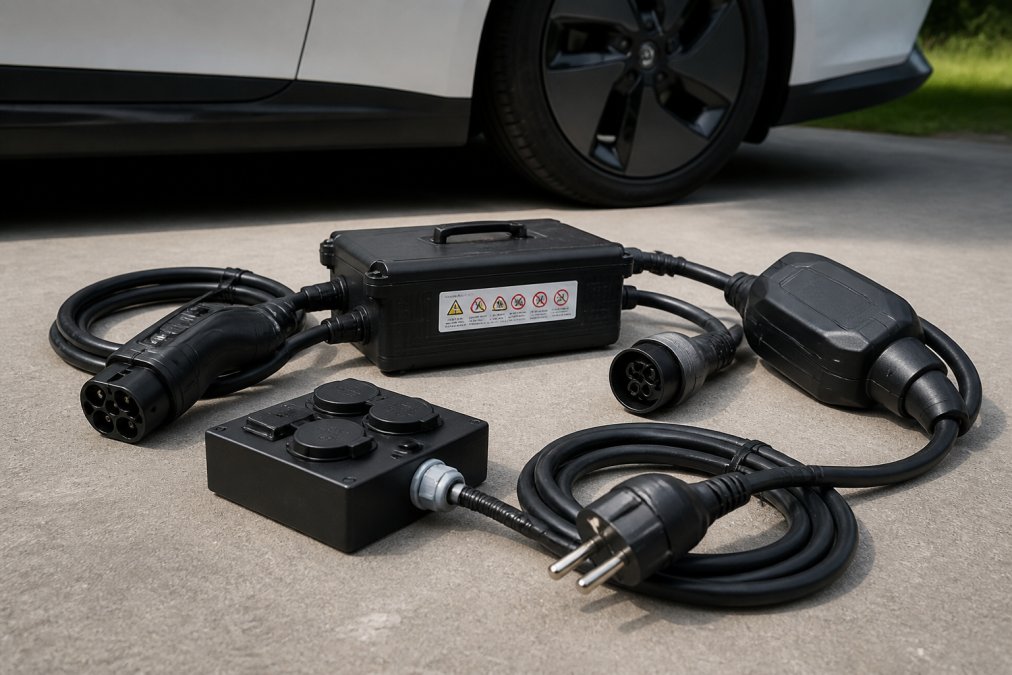
Cable quality matters a lot. A thick, well-constructed cable with good insulation significantly reduces the risk of errors. Cheap cables can have poor contact resistance, leading to voltage drops and error messages.
If you are unsure which adapter is right for your car, please contact V2LPower directly. They can confirm compatibility for your model and recommend the right solution. This will save you frustration and buying the wrong one.
Renters who want backup power during power outages, and campers who need reliable 230 V from their electric car without the risk of error messages.
Interpreting V2L error codes on your electric car
In addition to the generic error V2L conditions not met Some car models may display more specific error codes or environmental conditions that give you more clues about what's going wrong. 📋
Error codes by car brand:
Hyundai and Kia – These models often display codes like "V2L_ERROR_01" (plug connection error), "V2L_ERROR_02" (battery temperature error), or "V2L_ERROR_03" (overload). If you see "V2L unavailable," it means the system is disabled in the settings – go to "Power Supply" or "V2L Mode" and enable it manually.
Volkswagen – The ID series displays errors such as "Power Supply Failure" (power problem) or "Charging Port Failure" (port failure). If you see "System Not Ready," it usually means the battery is too hot or too cold. Wait 15-30 minutes before trying again.
BMW – iX and newer models display "Vehicle power supply unavailable" or "Power supply failure." These errors are often related to the software version – an OTA update may resolve the issue.
Environmental factors that trigger 'V2L conditions not met':
This is an often overlooked cause of the error: weather conditions and ambient temperature can block V2L completely without displaying a specific error code.
Cold (below 0 °C) – If the car has been parked in freezing conditions overnight, or if you attempt to use V2L in the winter cold, the battery may be too cold to safely deliver power. The system blocks V2L to protect the battery. Solution: Start the car and let it warm up for 15-20 minutes with the heater on. The battery will warm up naturally and the error will disappear.
Heat (above 45°C) – After a long period of driving on a hot day, or if the vehicle has been in direct sunlight without air conditioning, the battery may become too hot. The system deactivates V2L as a safety measure. Solution: Turn off the car, open the doors, and let it cool down for 20-30 minutes. Turn on the air conditioning if you can while you wait.
High humidity and rain – If you attempt to use the V2L in heavy rain or in very humid environments (e.g. near the ocean), moisture on the Type 2 connector or in the charging port may trigger the error. The system detects moisture as a potential short circuit risk. Solution: Dry the plug and port thoroughly with a soft cloth. If it is raining, wait until it stops or use the V2L under cover (under a carport or garage).
Extreme air pressure or altitude changes – If you travel to higher altitudes (e.g. in mountainous areas), lower air pressure may affect the system's sensors. This is rare, but it can trigger the error. Solution: Wait 30 minutes and try again. If the error persists, it's probably not the altitude - check other factors.
To diagnose environmental-related errors:
-
Check the car battery temperature – Go to "System Settings" > "Battery" or "Diagnostics" and check the current battery temperature. If it is below 5°C or above 40°C, wait for it to normalize.
-
Inspect the plug for moisture. – Remove the Type 2 connector and look inside the charging port. If there is visible moisture or condensation, wipe it off and wait before trying again.
-
Check the weather conditions – If it is raining, snowing, or extremely hot, this could be the cause. Move the car to a more sheltered area and wait 20-30 minutes.
-
Reset the system – If the error persists after environmental conditions have returned to normal, remove the Type 2 connector, wait 60 seconds, and reinsert it. This resets the V2L system.
When to contact support:
If the error persists after adjusting the environmental conditions, battery temperature, and connector connection, there is likely a hardware or software problem. Contact the vehicle manufacturer or a certified V2L supplier like V2LPower to get an accurate diagnosis based on your specific car model and fault code.
Frequently Asked Questions
What exactly does the error 'V2L conditions not met' mean?
The error 'V2L conditions not met' means that your electric vehicle has detected that one or more conditions for safe power delivery are not met. This may be due to insufficient battery charge, compatibility issues between the vehicle and the adapter, a faulty plug connection, or excessive current load. The system blocks power outlets to protect the vehicle's electrical system. Follow the troubleshooting steps in this guide to identify the exact cause.
How do I check V2L compatibility with my electric car model?
Not all electric cars support V2L. Check your car's user manual or contact the manufacturer directly. The most important prerequisites are: (1) The car must have V2L functionality built in, (2) The Type 2 charging adapter must be certified for your car model, and (3) The software version in the car must support V2L. V2LPower offers compatibility checks for specific car brands – contact our support to confirm that your setup works.
Can a faulty V2L adapter cause the error 'V2L conditions not met'?
Yes. A defective or uncertified adapter can trigger the error because the vehicle's electrical system detects unexpected resistance or voltage drop in the connection. Signs of adapter failure include visible corrosion on the connector, a loose connection, or the error only occurring with a specific adapter. Test with a different certified adapter, if possible. If the problem goes away, the original adapter is defective and should be replaced.
How high a power load can the V2L system handle?
Most V2L systems can deliver between 1.4 kW and 3.7 kW depending on the car model and charging port type. Larger power loads – such as industrial tools or high-power heaters – may trigger the 'V2L conditions not met' error because the system detects that the fuses would be overloaded. Check the power consumption of your equipment (measured in watts) and compare it to the maximum capacity of your V2L adapter. If you need higher power delivery, an external V2L converter may be the solution.
This article was written using GrandRanker
 Danish
  English
  Swedish
  German
  Dutch
Dutch  Norwegian
  Chinese
  French
  Polish
  Italian
  Greek
Greek  Finnish
  Spanish
  Turkish
  Bulgarian
  Czech
Czech  Portuguese
  Bosnian
  Slovak
  Slovenian
  Romanian
  Hungarian
  Lithuanian
  Latvian
  Estonian
  Serbian
  Ukrainian