
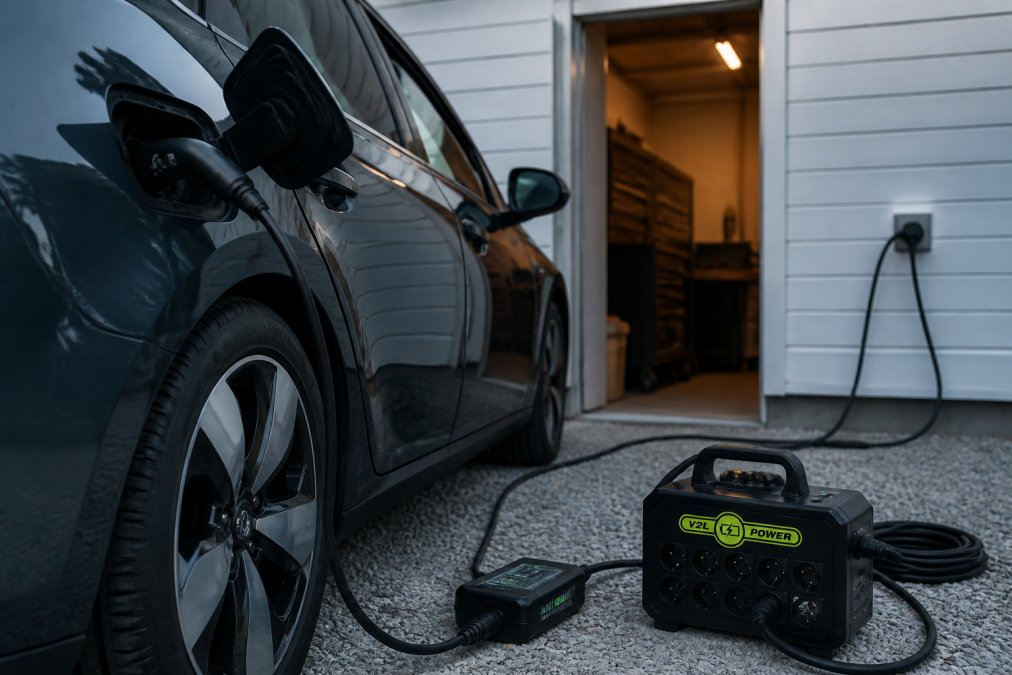
How to avoid V2L conditions not met errors
Table of contents
- What does V2L conditions not met error mean?
- V2L battery level threshold – why it matters
- V2L adapter compatibility – ensuring correct setup
- Troubleshooting V2L connectors and cables
- Overheating and safety mechanisms
- Maximum load and current
- Step-by-step troubleshooting when V2L conditions not met appears
- Prevention – how to keep the V2L system in top shape
Last updated: August 11, 2026
What does V2L conditions not met error mean?
V2L conditions not met error is a safety message that your electric vehicle displays when it cannot supply power to external devices through the V2L system. The error means that one or more conditions for safe power delivery are not met, such as battery level, adapter compatibility, temperature, or system configuration.
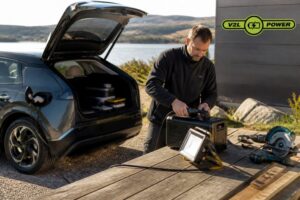
V2L (Vehicle-to-Load) is the technology that lets you draw power directly from your electric car's battery to power tools, camping gear, household appliances or other electrical devices. When the error message appears, the system is intentionally blocked to protect your car, the battery and external equipment.
The important thing to understand: this error is not a defect, it is a safety mechanism. When you see "V2L conditions not met", it means that the car's electronic system has detected something that is not safe to continue with. The goal of this guide is to help you identify exactly which condition is not met and how to fix it.
Many electric car owners give up at the first error message, not knowing that the solution is often simple, like waiting for the battery to cool down or updating the car's software. Start with the most common causes first.
V2L battery level threshold – why it matters
Your electric car battery has a minimum level before V2L can be activated. This is because the battery must retain enough energy to drive the car safely, the system will not allow you to drain it completely so that the car cannot drive.
Each car model has its own threshold. Most electric cars require at least 20-30% battery level before the V2L feature will activate. Some models are more conservative and require 40% or more. If your battery is below this limit, you will see the error message "V2L conditions not met", even if everything else is properly connected.
Minimum battery percentage for V2L activation
The battery level is often the first thing to check. If you have been driving long distances or using the air conditioning intensively, the battery may have dropped below the limit without you being fully aware of it.
Check your current battery level on your car's dashboard or infotainment screen. If it's below 20%, this is almost certainly the cause of the error. The solution is as simple as charging your car for at least 2-4 hours at a home charger or 30-45 minutes at a fast-charging station, depending on your car and charging type.
Battery level is the most common cause of the V2L conditions not met error. If you are below 30%, resolve this first, it is the fastest fix.
When the battery is too hot
An overheated battery can also block V2L, even if the battery level is otherwise acceptable. If you have driven long distances in hot weather or have fast charged several times in a row, the battery may have reached a temperature where the system says no to supplying power to the outside.
The battery needs to cool down before V2L can be reactivated. Under normal conditions, this takes 30-60 minutes, depending on the ambient temperature. Park the car in the shade, open the windows for ventilation, and wait. You can see the battery temperature on some car models through the infotainment system; if it shows "high" or "warm," you're on the right track.
V2L adapter compatibility – ensuring correct setup
The adapter you use to connect the V2L port to your devices must be compatible with both your car model and the power standard you are trying to use. An incompatible or defective adapter may cause the system to reject the connection as unsafe.
Check adapter-car model match
Each EV manufacturer uses slightly different V2L connector types and communication protocols. An adapter designed for a Hyundai Ioniq 5 may not work with a BMW i4, even though both support V2L. Before purchasing or using an adapter, confirm that it is approved for your exact car model and year.
Check your car's owner's manual or the manufacturer's V2L compatibility list. Many manufacturers (such as Hyundai, Kia, and BMW) have official V2L adapters, these are the safest choice. If you are considering a third-party adapter, make sure it explicitly states compatibility with your model.
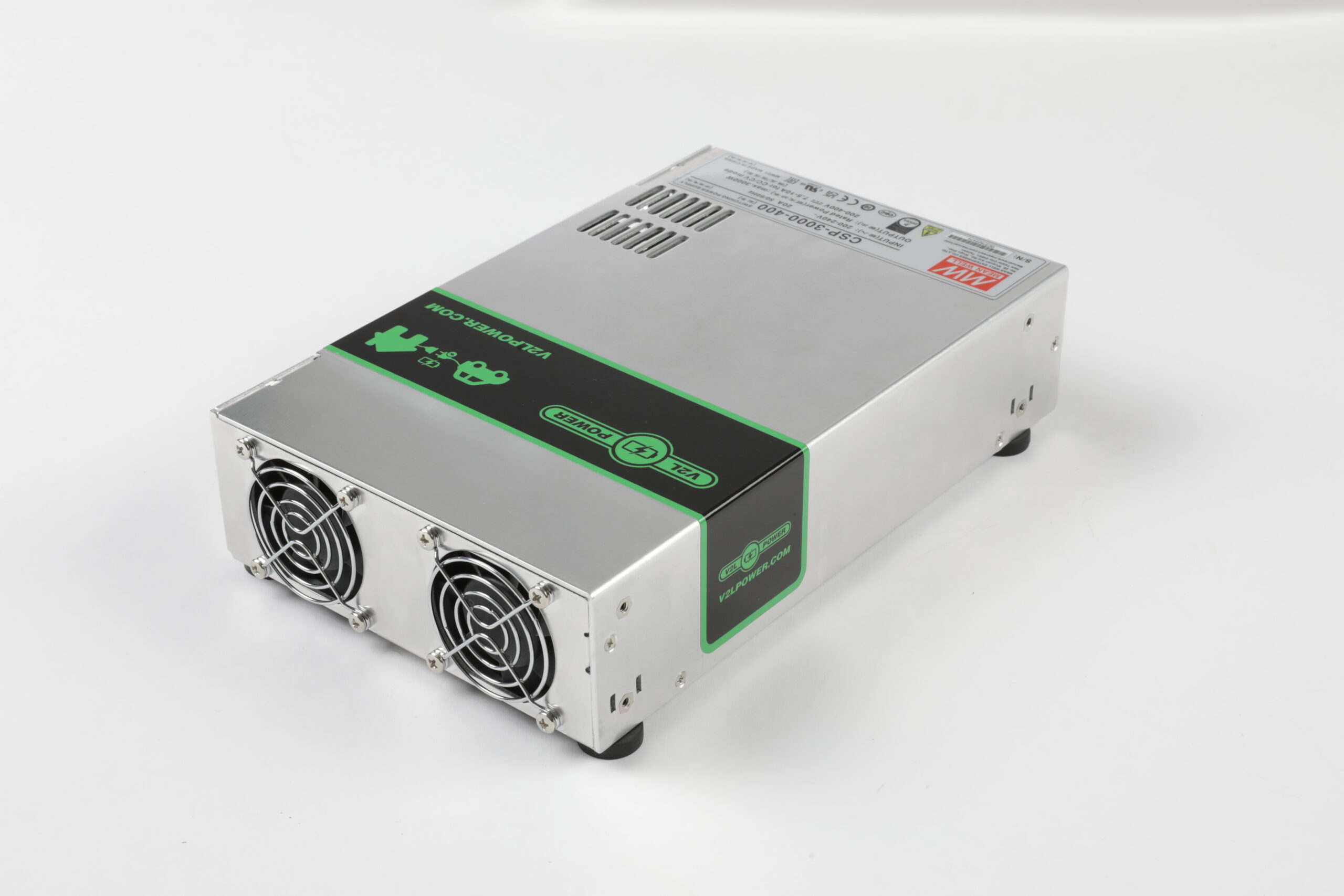
V2LPower offers adapters and converters that are tested and certified for specific car brands and models. When you buy through V2LPower, you get guidance on exactly which solution is right for your car and you avoid compatibility issues from the start.
Firmware and software updates
The car's software controls what conditions must be met before V2L is allowed. If the car's firmware is outdated, it may have stricter or less optimal rules for V2L activation. Many manufacturers have released updates that improve V2L functionality or fix known issues.
Check if there are any software updates available for your car. This is typically done through the car's settings under "System" or "Software Update". Some cars check automatically at startup, while others require you to initiate the search manually. An update can take 20-40 minutes and requires the car to be parked and have sufficient power.
If you see “V2L conditions not met” after purchasing a new adapter or installing a car software update, there may be a compatibility issue between the two. Make sure both the adapter and car software are updated to the same or compatible versions.
Troubleshooting V2L connectors and cables
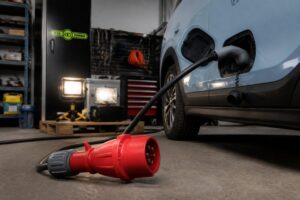
Physical damage to the connector or cables can cause the system to reject the connection. Even small signs of corrosion or loose contacts can trigger safety mechanisms and lead to the "V2L conditions not met" error.
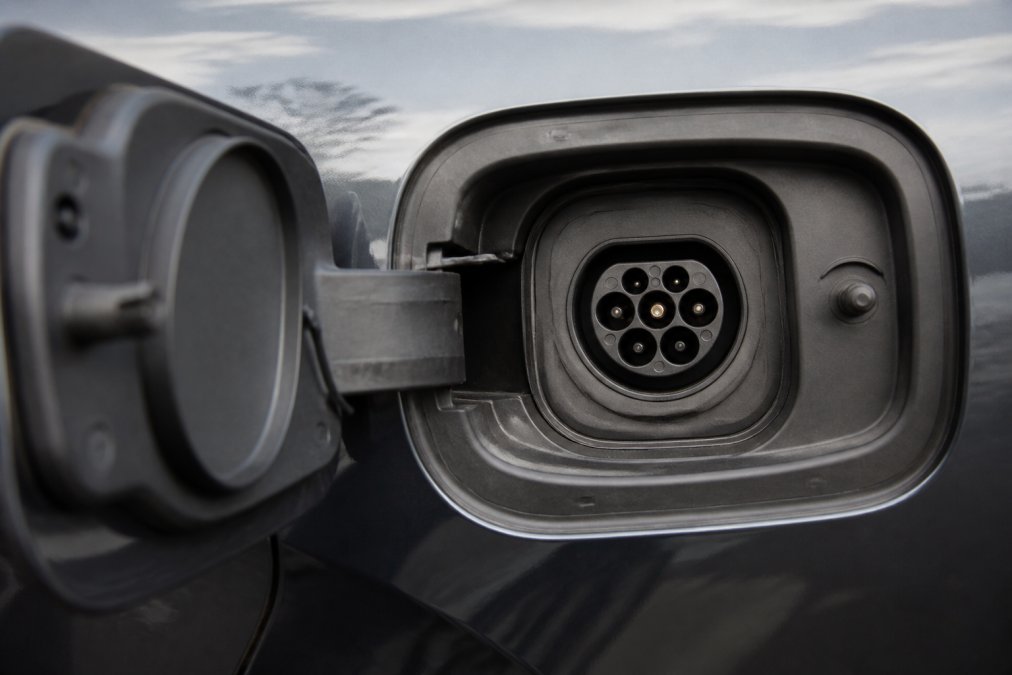
Visual signs of damage or corrosion
Examine the connector on both the car's V2L port and on the adapter. Look for:
- Corrosion or oxidation, greenish or white fittings on the metal parts
- Visible scratches or breaks, especially around the contacts
- Loose or bent pins, the contacts must be completely parallel
- Moisture or traces of moisture, signs that water has entered
If you see corrosion, try cleaning the connector gently with a dry cloth or soft brush. Never use water or liquids directly on the connector, as this may make the situation worse. If the connector appears physically damaged, the adapter or cable should be replaced.
Checking the plug connection
Even if the connector looks okay, a loose connection could be the problem. When you insert the adapter into the V2L port:
- Push it all the way in until you feel or hear a slight "click" or lock.
- Pull the adapter carefully, it should be firmly in place and cannot be moved around.
- If it is loose, try repeating the process or check for debris in the port
Some cars have a small cover over the V2L port, make sure it is completely removed before inserting the adapter. A partially open cover may block the connection.
Overheating and safety mechanisms
The V2L system has built-in safety switches that disable power delivery if the temperature rises too high, either in the adapter, cable or in the vehicle's electronics. This is designed to prevent fire and damage to equipment.
If you have been using the V2L for a long time under high load (e.g. running a heavy power tool continuously), the system may have become hot and activated the safety switch. The solution is to turn off the V2L, remove the adapter, and let both the car and the adapter cool down for 30-60 minutes.
Also check that you are using the cables that came with the adapter or are approved for it. Cheap or unsuitable cables may have greater resistance, generating more heat under load.
Overheating is not dangerous, it means that the safety mechanisms are working. Wait, let the system cool down, and try again. If it happens repeatedly, it may mean that the load is too high for your setup.
Maximum load and current
Every V2L adapter and every electric car has a maximum current (amps) and load (watts) that it can safely deliver. If you try to connect devices that together draw more power than the system can deliver, the "V2L conditions not met" error will appear or the system will shut down under load.
Most V2L systems deliver between 1.4 and 3.7 kW (approximately 6-16 amps at 230 volts). A modern electric kettle typically uses 2-3 kW, a power tool can use 1-2 kW, and a camping fridge uses around 0.1-0.3 kW.
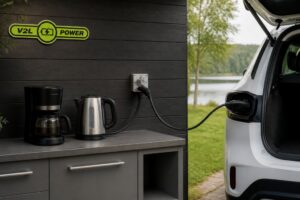
If you connect an electric kettle (2.5 kW) and a charger for another electric car at the same time, you can easily exceed the system's capacity. The solution is to use the appliances sequentially or to choose appliances with lower power consumption.
Always check the maximum amperage of your V2L system in your car's user manual and on the adapter. If you are unsure about the amperage consumption of a device, you can find it on the rating plate on the device itself.
Step-by-step troubleshooting when V2L conditions not met appears
When the error appears, work your way through these steps systematically. Each step eliminates a possible cause.
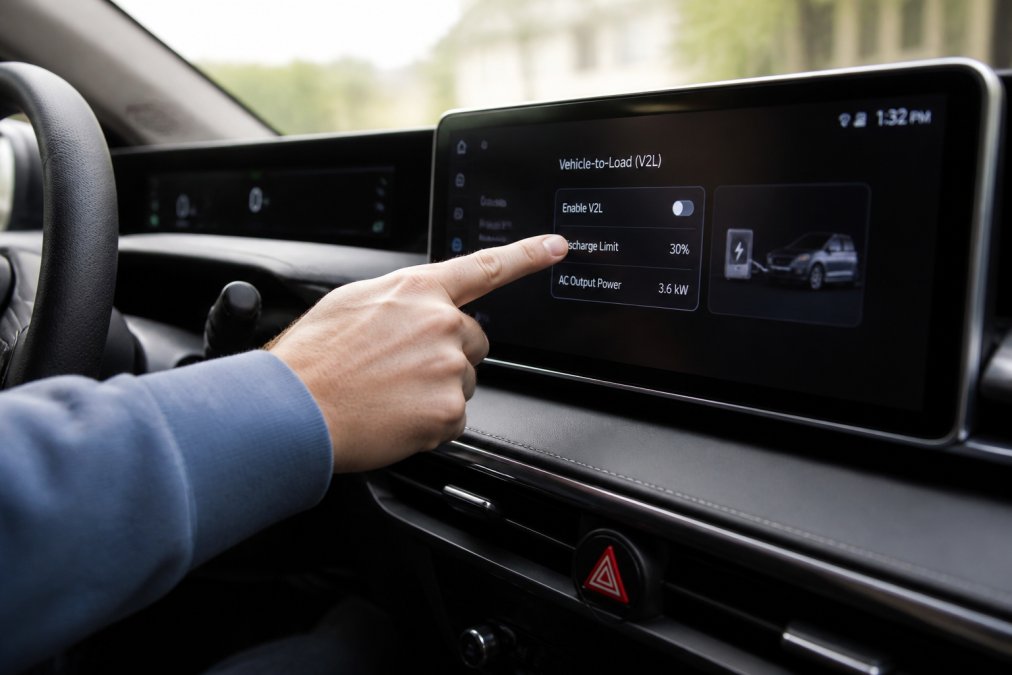
Step 1: Check the battery level
Open the car's infotainment system or dashboard and check the current battery level. If it is below 20-30%, this is almost certainly the cause. Charge the car to at least 30-40% before attempting V2L again. This typically takes 2-4 hours for home charging.
Step 2: Check V2L activation in the car settings
Go to your car's settings (typically under "Energy", "Battery" or "Charging") and find the V2L menu. Verify that V2L is enabled (not disabled or in "Standby"). Some cars have a switch that may be accidentally turned off. If it is off, turn it on.
If you cannot find the V2L menu, consult your vehicle's owner's manual, the location varies by manufacturer.
Step 3: Inspect connectors and cables
Remove the adapter from the V2L port. Inspect both the adapter connector and the port on the vehicle for signs of corrosion, damage, or dirt. If corrosion is visible, gently clean with a dry cloth. If there is physical damage, replace the adapter or cable.
Insert the adapter back into the port and confirm that it is fully seated with a distinct click.
Step 4: Reset the system
Sometimes the V2L system can become "stuck" in an error state. A simple reset can resolve this:
- Remove the adapter from the V2L port
- Turn off all connected devices.
- Wait 2-3 minutes
- Put the adapter back into the port.
- Try reactivating V2L through the car's menu.
If this does not work, try restarting the car's infotainment system by turning it off completely (by removing the key or using the "Power Off" menu) and waiting 5 minutes before restarting.
Step 5: Test with reduced load
If you have many devices connected, you may have exceeded the maximum system load. Remove all devices except one small device (such as a 10-20 watt mobile charger) and try again. If V2L works with a low load, you can gradually add devices to find the limits of your system.
| Step | Action | Frequency |
|---|---|---|
| 1 | Check battery level (minimum 20-30%) | Before each use |
| 2 | Confirm V2L activation in settings | In case of error |
| 3 | Inspect connectors for corrosion and damage | Every month |
| 4 | Reset system after error | In case of error message |
| 5 | Reduced load test | In the event of an unknown error |
Prevention – how to keep the V2L system in top shape
The best way to avoid the "V2L conditions not met" error is to prevent the problems from occurring in the first place. Regular maintenance and proper use can save you the frustration.
Keep connectors and cables clean: Check the V2L port and connector at least every two months. If you park outdoors or in humid areas, check more often. Clean gently with a dry cloth if you see dirt or moisture.
Let the battery rest: Avoid using V2L immediately after high-intensity driving or rapid charging. Wait 15-30 minutes to allow the battery to stabilize. This reduces the risk of temperature-based safety mechanisms being activated.
Monitor software updates: Check regularly for new software updates for your car. Manufacturers often release updates that improve V2L stability and functionality. Set a reminder every 3 months.
Use certified equipment: Invest in a certified adapter and cables designed for your specific car model. Cheap or unsuitable adapters can cause compatibility issues, such as error messages.
V2LPower offers complete V2L solutions with guidance for specific car brands and models. When you choose a certified solution, you not only get hardware, you also get access to technical support and guidance that helps you avoid mistakes from the start.
Document your settings: Write down which adapter you're using, what car model you have, and what maximum load the system can handle. If you run into problems later, you'll have this information ready for troubleshooting.
If you experience the “V2L conditions not met” error repeatedly after following all of these steps, there may be an underlying hardware or software issue with the vehicle or adapter. Contact your vehicle manufacturer’s support or an authorized service center for deeper diagnostics.
The V2L conditions not met error is almost always resolvable by following these steps. The most common cause is the battery level, if it is below 20-30%, that is almost certainly the cause. Once you have resolved this, you can once again use your electric vehicle as a reliable power source for camping, home backup, tools or other appliances.
If you want a certified V2L solution that is specifically tested for your car model, please read V2LPower's complete V2L guide to Danish electric car models. V2LPower offers adapters and converters, approved for the most common electric car brands, along with free email support throughout Europe, so you always have help if questions arise during use.
Frequently Asked Questions
What does the 'V2L conditions not met' error message mean?
The error message means that your electric vehicle does not meet the conditions required to supply power via V2L. This could be due to a low battery level, high battery temperature, adapter incompatibility, or a problem with the plug connection. Each cause requires a different solution, which this guide will help you through.
What is the minimum V2L battery level limit?
Most electric cars require a minimum battery level of 10-20 % before V2L will activate, but this varies by car model. Some models block V2L completely below 10 %, while others allow it at 20 %. Check your car's owner's manual for the exact threshold. If the battery is close to the limit, charge it first and try again.
How do I ensure that my V2L adapter is compatible with my electric car?
Make sure the adapter is specified for your car model and year. Many errors are due to adapter incompatibility. Make sure your car's software is up to date, as some V2L systems require newer firmware to function properly. If you are unsure, consult your car manufacturer's manual or contact V2LPower for help finding the right solution for your specific model.
Can weather conditions affect V2L functionality?
Yes, extreme weather conditions can affect the V2L system. Very cold weather can reduce battery performance and affect the connector connection, while hot weather can trigger safety mechanisms that block V2L to protect the battery. Handle V2L equipment with care in extreme temperatures and ensure the connector is dry and protected from moisture and salt.
This article was written using GrandRanker
 Danish
  English
  Swedish
  German
  Dutch
Dutch  Norwegian
  Chinese
  French
  Polish
  Italian
  Greek
Greek  Finnish
  Spanish
  Turkish
  Bulgarian
  Czech
Czech  Portuguese
  Bosnian
  Slovak
  Slovenian
  Romanian
  Hungarian
  Lithuanian
  Latvian
  Estonian
  Serbian
  Ukrainian